
A virtual bookkeeper is a remote bookkeeping professional who manages your financial records online using cloud-based tools like QuickBooks Online and Xero. If you’ve been trying to understand what is a virtual bookkeeper and how virtual bookkeeping works, you’re not alone — thousands of small business owners across the U.S. are now adopting this modern bookkeeping model.
A virtual bookkeeper handles daily bookkeeping tasks, organizes receipts, categorizes transactions, performs monthly reconciliations, and keeps your books accurate year-round — all without needing office space or full-time payroll. This online approach, known as virtual bookkeeping, gives businesses real-time visibility, automation, and a far more affordable alternative to hiring in-house staff.
Whether you run a startup, service-based business, e-commerce store, or operate remotely, virtual bookkeeping offers flexibility, accuracy, and the financial clarity modern businesses need to make smarter decisions.
Table of Contents
Key Takeaways
A virtual bookkeeper provides remote bookkeeping support using secure cloud accounting systems, giving businesses accurate, real-time financial visibility.
Virtual bookkeeping services help small businesses automate routine tasks, reduce errors, and stay organized without hiring full-time staff.
This online approach simplifies transaction tracking, reconciliations, and monthly reporting through modern bookkeeping software.
Small business owners benefit from lower costs, better accuracy, and consistent financial statements they can trust.
The flexibility of virtual bookkeeping makes it ideal for startups, service-based companies, e-commerce stores, and remote teams.
What Is Virtual Bookkeeping?
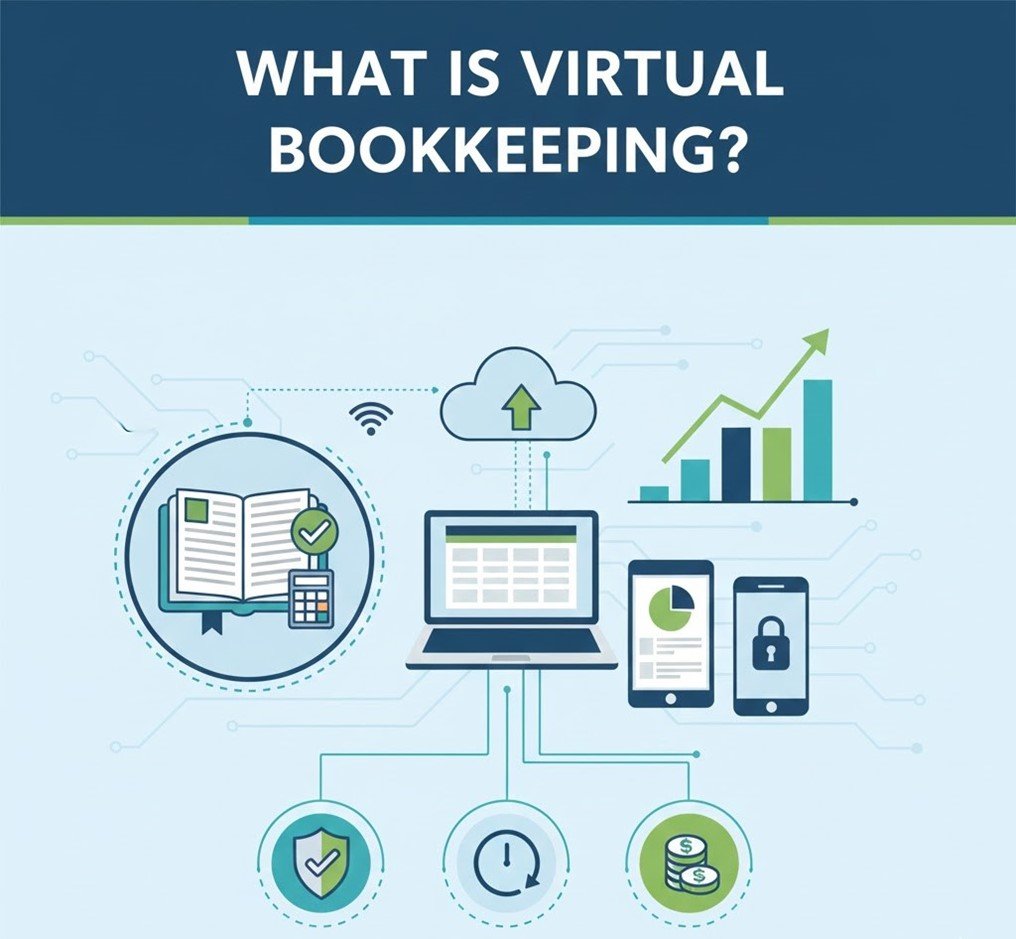
Virtual bookkeeping is a modern, cloud-based approach to managing your business’s financial records without having a bookkeeper physically present in your office. Instead of handling paperwork, receipts, and ledgers manually, all bookkeeping tasks are completed online using secure accounting software such as QuickBooks Online, Xero, or other cloud accounting tools.
In a virtual bookkeeping setup, your financial transactions are imported automatically from your bank accounts and organized inside a centralized online bookkeeping system. A remote bookkeeper then categorizes expenses, reconciles accounts, updates records, stores receipts digitally, and prepares monthly financial statements — all through secure cloud platforms.
For small business owners, virtual bookkeeping provides the same accuracy and reliability as a traditional bookkeeping service, but with added benefits like automation, real-time visibility, tighter security, and significantly lower costs. It’s a flexible, scalable, and efficient way to keep your books up-to-date throughout the year without managing an in-house bookkeeping team.
How Virtual Bookkeeping Works for Small Businesses
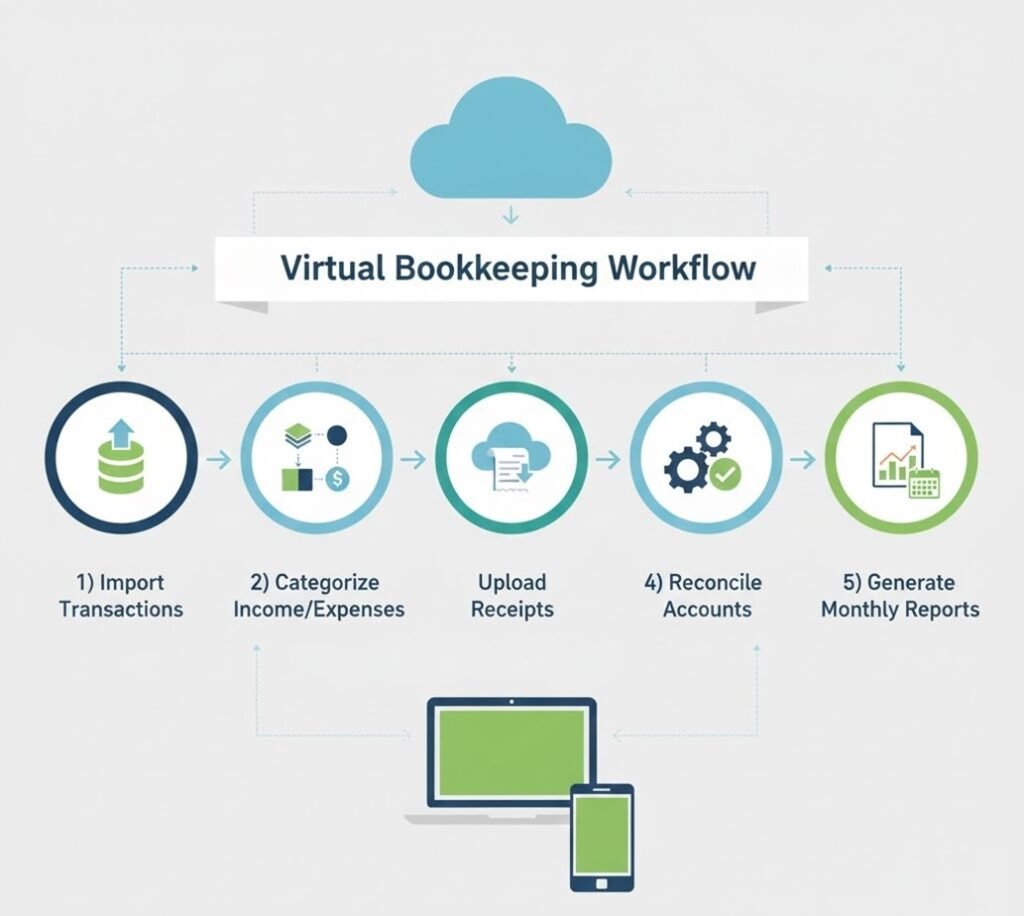
Virtual bookkeeping works by combining automated data imports, cloud accounting tools, and remote professional support to keep your financial records accurate and up to date. Instead of collecting receipts or manually entering transactions, your bank accounts, credit cards, and payment platforms connect directly to online bookkeeping software such as QuickBooks Online or Xero.
Here's how the process typically works:
1. Secure Connection to Your Financial Accounts
Your banking, credit card, and payment apps sync automatically with your accounting system. This eliminates manual entry and ensures every transaction is captured in real time.
2. Automated Transaction Imports
The accounting software pulls in daily activity — sales, expenses, transfers, deposits — reducing time spent on routine bookkeeping work and minimizing errors.
3. Categorization & Organization
A virtual bookkeeper reviews each imported transaction, assigns the correct category, attaches supporting documents, and ensures everything aligns with your financial structure.
4. Monthly Reconciliations
To maintain accuracy, your online bookkeeper compares your bank statements with the accounting records, resolving discrepancies and ensuring your books stay clean and compliant.
5. Real-Time Financial Visibility
Because everything is cloud-based, small business owners can check their cash flow, expenses, and profits anytime — without waiting for month-end updates.
6. Secure Document Storage
Receipts, invoices, and financial documents are stored digitally, making audits, tax filing, and financial reviews faster and more efficient.
What Does a Virtual Bookkeeper Do?

A virtual bookkeeper manages your day-to-day financial records remotely, ensuring your books remain accurate, organized, and ready for tax time. Their role is similar to a traditional bookkeeper, but the entire process takes place online through secure cloud accounting systems. This allows businesses to receive professional bookkeeping support without hiring in-house staff.
A virtual bookkeeper handles core financial tasks, updates your accounting records, monitors cash flow activity, and keeps your financial information organized throughout the month. They also assist with compliance-related tasks and provide the clean, structured financial reports your tax professional needs at year-end.
To understand their role clearly, let’s break down their responsibilities into daily, monthly, and additional tasks.
Daily Responsibilities of an Online Bookkeeper
A virtual bookkeeper manages several daily tasks to ensure your financial records stay accurate and up-to-date. These responsibilities focus on organizing incoming data, keeping your books clean, and making sure every transaction is properly recorded inside your cloud accounting software.
Here’s what an online bookkeeper typically handles each day:
1. Importing and Reviewing New Transactions
As new activity flows in from your bank accounts and payment processors, your bookkeeper reviews each transaction and verifies that it’s captured correctly in the accounting system.
2. Categorizing Income and Expenses
They assign every transaction to the correct income or expense category, ensuring your financial reports remain accurate and meaningful.
3. Attaching and Organizing Receipts
Online bookkeeping systems allow receipts to be uploaded digitally. A virtual bookkeeper matches receipts to transactions and keeps all documents organized for tax or audit purposes.
4. Monitoring Cash Flow Activity
They keep an eye on incoming deposits, outgoing payments, and overall cash movement so you always know where your money is going.
5. Maintaining Updated Records
Each day, they update your financial records so your books stay current — not weeks or months behind.
6. Flagging Unusual or Incorrect Entries
If something looks incorrect or out of place, your virtual bookkeeper identifies the issue early and brings it to your attention.
Monthly & Quarterly Virtual Bookkeeping Workflows
While daily tasks keep your books continuously updated, most of the detailed financial work happens monthly and quarterly. A virtual bookkeeper performs deeper reviews, reconciliations, and reporting to ensure your financial records remain accurate and ready for decision-making.
1. Monthly Bank & Credit Card Reconciliations
At the end of each month, your bookkeeper compares your bank statements with your accounting records to ensure everything matches. Any duplicate entries, missing transactions, or errors are corrected during this process.
2. Reviewing and Cleaning Up Transaction Categories
Your virtual bookkeeper rechecks income and expense categories to make sure everything is properly classified. This improves the accuracy of your financial statements and reduces issues during tax time.
3. Updating Accounts Payable & Accounts Receivable
Monthly workflows include tracking unpaid bills, open invoices, customer payments, and vendor balances — giving a clear picture of cash flow.
4. Generating Monthly Financial Statements
Your online bookkeeping system produces updated reports such as the Profit & Loss, Balance Sheet, and Cash Flow Statement, helping you understand your financial health.
5. Quarterly Financial Reviews
Each quarter, your bookkeeper performs a deeper review of your financial data to identify trends, unusual activity, and areas where spending or income patterns may need adjustment.
6. Coordinating With Your CPA or Tax Professional
Quarterly reviews also prepare your accountant or tax preparer with accurate financial data, making tax planning smoother and more reliable.
What a Virtual Bookkeeper Does NOT Do
Although virtual bookkeepers handle a wide range of financial tasks, their role has clear boundaries. Understanding what they do not handle helps set the right expectations and ensures you hire the correct professional for each financial need.
Here are the tasks a virtual bookkeeper typically does not perform:
1. Tax Filing or CPA-Level Tax Strategy
A virtual bookkeeper can organize your financial records for tax season, but they do not prepare or file tax returns. Advanced tax planning or IRS representation must be handled by a CPA or enrolled agent.
2. Financial Audits or Forensic Accounting
Bookkeepers maintain and organize financial data, but auditing and investigative financial work fall under accounting and CPA services.
3. High-Level Financial Advisory or Consulting
Virtual bookkeepers provide accurate financial reports, but forecasting, budgeting, and in-depth financial analysis are typically CPA or CFO-level responsibilities.
4. Payroll Tax Filing (Unless Included in Your Package)
Some virtual bookkeeping services may support payroll processing, but payroll tax filings or employer compliance are usually separate services.
5. Legal or Compliance-Based Financial Filings
Bookkeepers do not prepare state compliance documents, annual reports, or business formation paperwork unless they offer those services separately.
6. Managing Investments or Business Banking
Investments, loan structuring, credit negotiation, or financial product advisory do not fall under bookkeeping responsibilities.
Skills & Qualifications Needed for a Virtual Bookkeeper
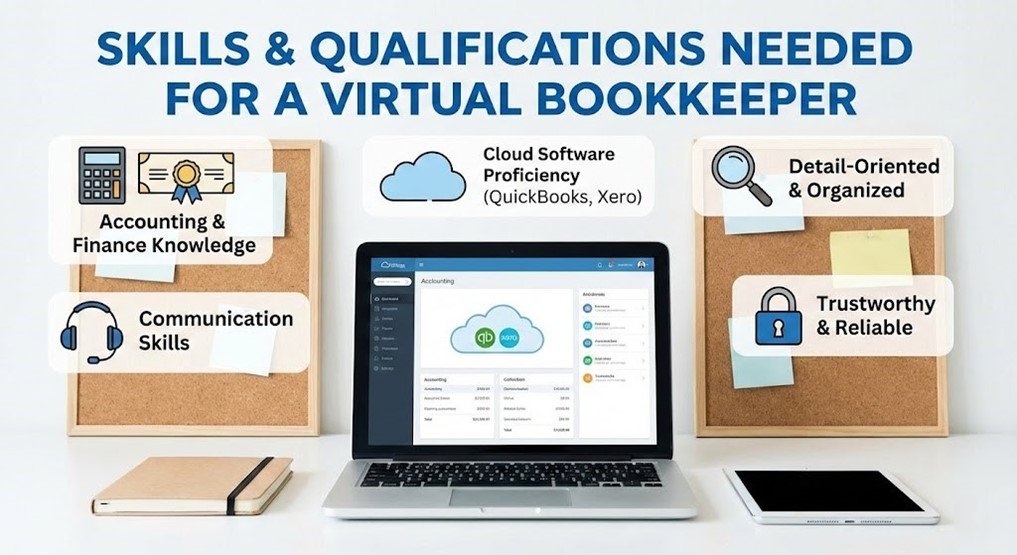
A virtual bookkeeper needs a combination of technical, accounting, and communication skills to manage your financial records accurately in a remote environment. Unlike general administrative assistants, trained bookkeepers understand financial workflows, compliance requirements, and the structure behind good reporting. These skills ensure your books stay organized, up-to-date, and ready for tax time.
Technical & Accounting Skills
A virtual bookkeeper must have strong accounting fundamentals to manage your financial data correctly. Their work isn’t limited to entering transactions — they understand how each entry affects your financial statements and overall business performance.
Key technical and accounting skills include:
1. Understanding of Accounting Principles
A professional bookkeeper should understand basic accounting concepts such as debits, credits, assets, liabilities, and equity. This ensures your records follow proper financial structure.
2. Knowledge of the Double-Entry System
Virtual bookkeepers must accurately record transactions using the double-entry bookkeeping method to keep your books balanced and error-free.
3. Bank Reconciliation Expertise
Reconciling transactions with bank statements requires attention to detail and the ability to identify errors, duplicates, and missing entries.
4. Accurate Categorization of Income & Expenses
Proper categorization affects cash flow reports, taxes, and financial insights. A skilled bookkeeper knows how to classify every transaction correctly.
5. Compliance Awareness
They understand basic compliance requirements — such as record-keeping standards, sales tax documentation, and audit readiness — to keep your business protected.
6. Attention to Detail & Error Prevention
Bookkeeping requires precision. A good virtual bookkeeper can identify inconsistencies early and maintain clean, accurate financial data throughout the year.
Software & Tool Knowledge
A virtual bookkeeper must be highly skilled in using modern cloud-based accounting tools. Since all financial work is performed online, their ability to operate these systems efficiently ensures accurate records, faster workflows, and better financial visibility for your business.
Here are the essential tools a professional virtual bookkeeper should be familiar with:
1. Cloud Accounting Software (QuickBooks Online, Xero)
These platforms serve as the core bookkeeping system. A skilled bookkeeper knows how to set up accounts, connect bank feeds, reconcile transactions, create reports, and manage the full bookkeeping process online.
2. Receipt and Document Management Tools (Dext, Hubdoc)
These tools automate the capture and storage of receipts, invoices, and financial documents — reducing manual work and keeping your digital records audit-ready.
3. Accounts Payable & Receivable Platforms (Bill.com)
Virtual bookkeepers use AP/AR systems to track vendor bills, send invoices, manage payments, and monitor outstanding balances.
4. Payroll Processing Tools (Gusto, QuickBooks Payroll)
Even if payroll isn’t included in every bookkeeping package, a bookkeeper should understand how payroll tools integrate with your accounting system and affect financial reports.
5. Secure Client Portals for File Sharing
Encrypted portals ensure that bank statements, reports, receipts, and sensitive data are exchanged safely between you and your bookkeeper.
6. Automation & Integration Tools
Modern bookkeeping involves syncing bank feeds, automating transaction rules, and connecting apps that streamline workflows. A knowledgeable virtual bookkeeper understands how to use these automations without compromising accuracy.
How Virtual Bookkeeping Works (Step-by-Step)
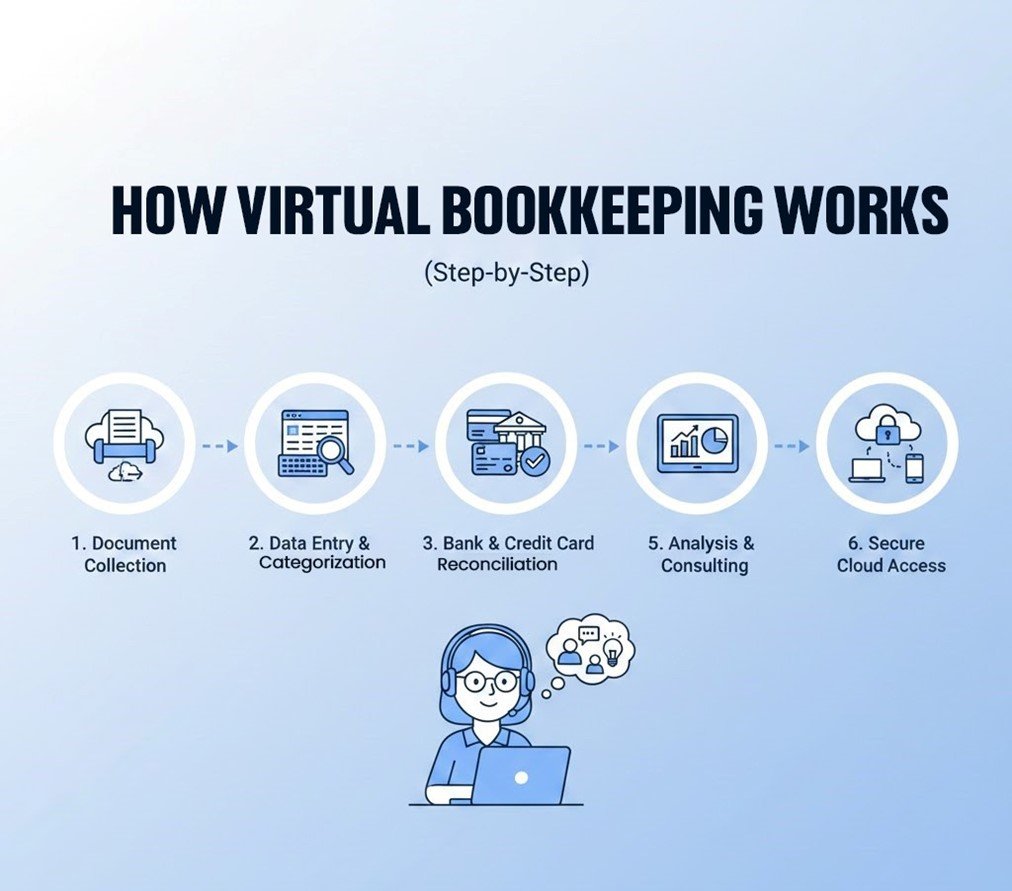
Virtual bookkeeping follows a structured workflow that combines automation, cloud accounting tools, and ongoing support from a remote bookkeeper. This process keeps your financial data accurate throughout the month and eliminates the need for manual record-keeping or in-house staff.
Below is a simple breakdown of how virtual bookkeeping typically works:
Step 1: Setting Up Your Online Accounting System
Your bookkeeper helps create or organize your QuickBooks Online, Xero, or other cloud accounting software. Bank feeds, chart of accounts, categories, and user permissions are all set correctly from day one.
Step 2: Connecting Bank Accounts and Payment Platforms
Your business bank accounts, credit cards, PayPal, Stripe, Square, or other payment systems sync automatically with your accounting software. This ensures every transaction flows into your books in real time.
Step 3: Automated Transaction Imports
Once connected, the system pulls in daily activity — sales, expenses, deposits, refunds — reducing manual data entry and improving accuracy.
Step 4: Categorizing and Organizing Transactions
Your virtual bookkeeper reviews all imported transactions, assigns them to the correct categories, attaches supporting receipts, and keeps your financial data structured.
Step 5: Reconciling Accounts Monthly
Each month, your bookkeeper compares your bank and credit card statements with your accounting system to ensure your books match exactly. Any discrepancies are corrected at this stage.
Step 6: Preparing Monthly Financial Reports
Updated financial statements — Profit & Loss, Balance Sheet, and Cash Flow — are prepared and delivered to you so you can understand your business performance at a glance.
Step 7: Ongoing Support and Year-End Coordination
Throughout the year, your virtual bookkeeper maintains clean records and collaborates with your CPA or tax professional to ensure tax filing is smooth and accurate.
Virtual Bookkeeper vs Traditional Bookkeeper
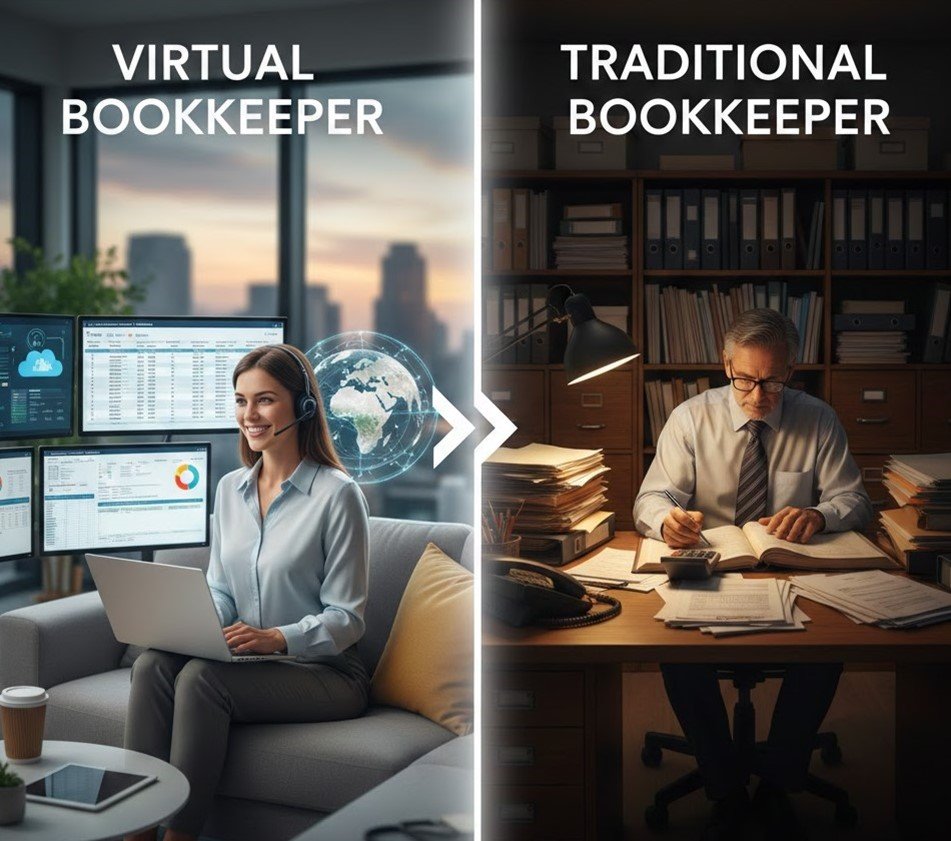
Virtual bookkeepers and traditional bookkeepers perform many of the same tasks, but the way they work — and the benefits they provide — are completely different. Understanding these differences helps small business owners decide which option offers the best value, flexibility, and support.
Here’s how both roles compare:
1. Work Location & Accessibility
- Traditional Bookkeeper: Works in your office and handles records manually.
- Virtual Bookkeeper: Works remotely using cloud accounting software, allowing you to access your financial data anytime, anywhere.
2. Cost & Overhead
- Traditional: Requires salary, benefits, workspace, and equipment.
- Virtual: No office costs or employee overhead — you only pay for the services you need.
3. Efficiency & Automation
- Traditional: Often relies on manual data entry and paper-based processes.
- Virtual: Uses automated bank feeds, digital tools, and cloud systems that reduce errors and save time.
4. Flexibility & Scalability
- Traditional: Fixed working hours and limited capacity.
- Virtual: Allows you to scale bookkeeping support up or down based on your business activity.
5. Communication & Reporting
- Traditional: Reports are usually shared monthly or physically.
- Virtual: Provides real-time dashboards, digital reports, and faster communication via online portals.
6. Data Security
- Traditional: Documents stored physically or on local devices.
- Virtual: Uses encrypted systems, cloud backups, and secure portals.
Why Hire a Virtual Bookkeeper?

Hiring a virtual bookkeeper gives small businesses access to professional bookkeeping support without the cost or complexity of bringing on an in-house employee. Instead of managing paperwork, handling data entry, or worrying about falling behind on your books, a virtual bookkeeper keeps your financial records updated and organized throughout the year.
For many business owners, the real value comes from having clean, accurate books without spending hours reviewing transactions or trying to stay on top of monthly reconciliations. Virtual bookkeeping also provides automation, flexibility, and real-time financial visibility — something traditional bookkeeping systems rarely offer.
Let’s break down the main reasons businesses choose to hire a virtual bookkeeper:
Lower Costs & Less Overhead
Hiring a virtual bookkeeper is significantly more cost-effective than maintaining an in-house bookkeeping employee. With a traditional bookkeeper, you must cover salary, benefits, office space, training, software licenses, and equipment. These expenses add up quickly — especially for small businesses that don’t require full-time bookkeeping.
Virtual bookkeeping eliminates these costs. You only pay for the specific services you need, whether that’s monthly reconciliations, transaction management, or financial reporting. There’s no payroll burden, no onboarding time, and no need to allocate workspace or hardware. This makes virtual bookkeeping one of the most budget-friendly ways for businesses to maintain accurate financial records without stretching their resources.
Better Accuracy & Automation
A major reason businesses hire virtual bookkeepers is the improved accuracy that comes with automated, cloud-based bookkeeping systems. Instead of entering data manually — which increases the chance of errors, duplicates, or missing entries — your financial transactions flow directly from your bank accounts into your accounting software.
A virtual bookkeeper uses automation rules to categorize routine transactions, match receipts, and flag unusual activity. This reduces the risk of incorrect entries and keeps your books consistent throughout the month. Clean data also leads to cleaner financial reports, giving you a more reliable picture of your business performance.
Accuracy improves even further because virtual bookkeepers rely on real-time data. You’re never working with outdated numbers, making it easier to spot trends, control spending, and plan ahead confidently.
Real-Time Financial Insights
One of the biggest advantages of hiring a virtual bookkeeper is the ability to see your financial information in real time. Instead of waiting for end-of-month updates or relying on outdated spreadsheets, cloud accounting software gives you immediate access to your income, expenses, bank balances, and cash flow activity.
Virtual bookkeepers keep your records updated throughout the month, so the numbers you see on your dashboard reflect your current financial situation — not last quarter’s data. This real-time visibility helps business owners make faster, more informed decisions, manage spending proactively, and identify growth opportunities before they’re missed.
Having reliable, up-to-date financial data also makes conversations with your CPA or tax professional easier, since both of you are working with accurate information at all times.
Benefits of Virtual Bookkeeping (Top Advantages)
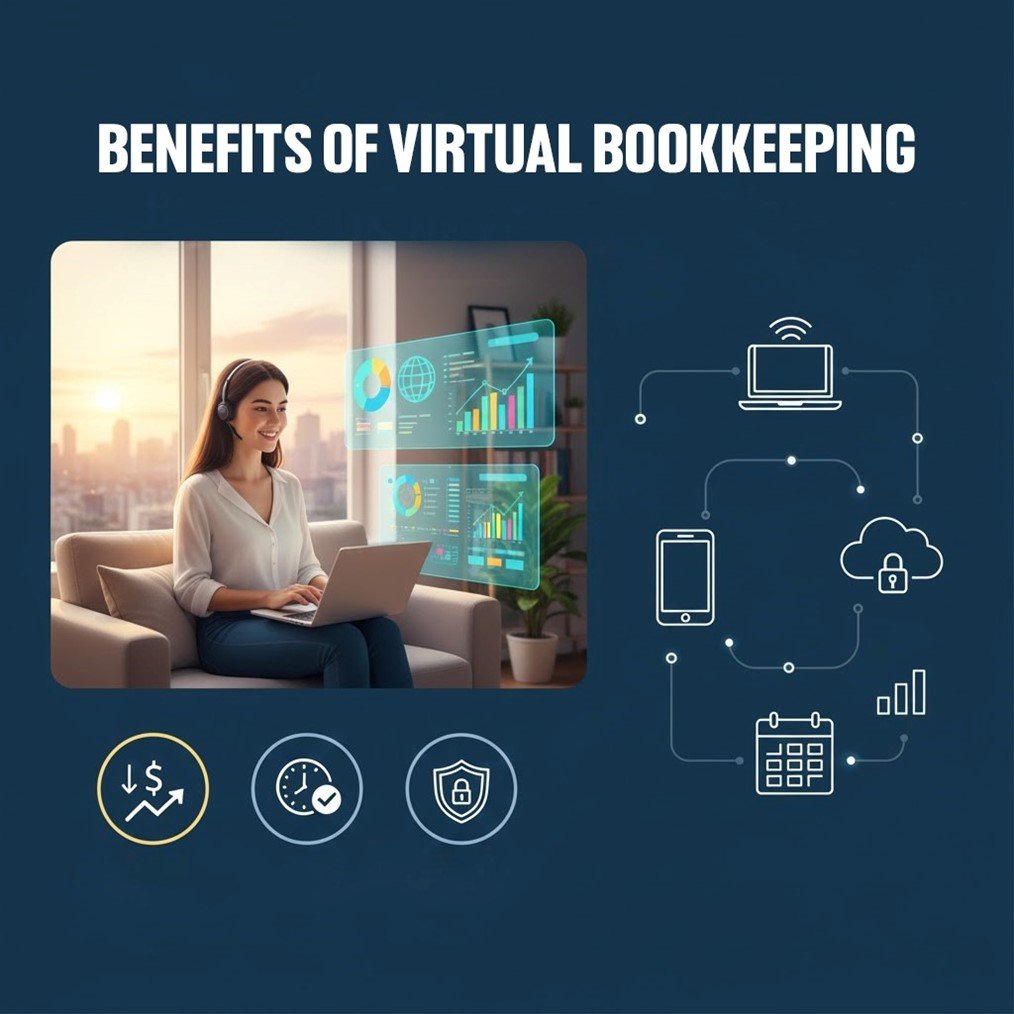
Virtual bookkeeping offers several advantages that help small businesses stay organized, reduce costs, and access reliable financial information without hiring full-time staff. Here are the most important benefits that make virtual bookkeeping a smarter alternative to traditional, in-office processes:
Cost Savings
One of the biggest advantages of virtual bookkeeping is the amount of money small businesses can save. Traditional bookkeeping often requires hiring an in-house employee, paying a monthly salary, covering benefits, providing office space, and purchasing expensive desktop accounting software. For most small businesses, these costs simply don’t match their actual bookkeeping needs.
Virtual bookkeeping removes all of this overhead. You only pay for the level of support you need — whether that’s monthly reconciliations, ongoing transaction management, or complete reporting. Because everything is handled remotely through cloud-based tools, you eliminate the cost of hardware, workspace, training, and employee management.
This affordable model is also one of the main reasons many U.S. business owners switch from traditional bookkeeping to remote support.
If you want to explore this benefit even further, you can read our detailed guide here:
Real-Time Access to Financial Information
One of the strongest advantages of virtual bookkeeping is the ability to access up-to-date financial information anytime you need it. Instead of waiting for a bookkeeper to update your records manually or relying on outdated spreadsheets, cloud accounting software keeps your financial data current throughout the day.
With real-time access, you can instantly view:
- Updated income and expense activity
- Recent sales and payment deposits
- Current bank and credit card balances
- Cash flow movements
- Pending invoices and unpaid bills
This level of visibility gives business owners the confidence to make faster, smarter financial decisions. Whether you’re planning a new purchase, reviewing profitability, or checking available cash, your numbers are always available — no delays, no guesswork.
Real-time data also helps you catch unusual transactions early and stay more prepared for tax season. It removes the anxiety of “not knowing where your finances stand” and replaces it with clarity, accuracy, and control.
Increased Accuracy Through Automation
Automation is one of the biggest reasons virtual bookkeeping produces more accurate financial records than traditional, manual processes. Instead of relying on human entry alone, cloud accounting systems automatically import and organize your financial activity, reducing the chance of errors, duplicate entries, or missing transactions.
With automated bank feeds, your sales, expenses, deposits, and refunds flow directly into your accounting software. A virtual bookkeeper then reviews, categorizes, and fine-tunes those entries — combining the speed of automation with the accuracy of professional oversight.
Automation also helps:
- Apply consistent rules for recurring transactions
- Eliminate manual entry mistakes
- Catch mismatched or unclear entries faster
- Keep your books aligned with real-time account activity
This blend of automation + expert review ensures your financial data stays clean, consistent, and audit-ready throughout the year.
Enhanced Data Security
Security is one of the biggest concerns for small business owners, especially when it comes to financial data. Virtual bookkeeping significantly improves data protection because your information is stored in encrypted, cloud-based systems rather than on personal computers, local hard drives, or paper files that can easily be lost or damaged.
Cloud accounting platforms such as QuickBooks Online, Xero, and Bill.com are built with bank-level security, including multi-factor authentication, permission-based access, and automatic backups. This means your records remain safe even if a device fails, an employee leaves, or documents go missing.
A virtual bookkeeper also uses secure client portals to exchange receipts, bank statements, and reports — eliminating the risks of email attachments and unprotected file sharing. With stronger security controls, audit-friendly organization, and encrypted storage, your financial data stays protected year-round without requiring you to manage IT systems or security tools on your own.
Scalability as Your Business Grows
As your business grows, your bookkeeping needs naturally increase — more transactions, more receipts, more invoices, more accounts to manage. Traditional bookkeeping makes scaling difficult because you must hire additional staff, expand office capacity, or restructure internal roles.
Virtual bookkeeping solves this problem through built-in scalability. Whether you’re processing a few monthly transactions or managing large-volume financial activity, your virtual bookkeeper can easily adjust the level of support you receive. You can scale up during busy seasons, reduce support during slower periods, or add new bookkeeping services without hiring full-time employees.
This flexibility allows small businesses, e-commerce brands, and service-based companies to expand confidently without worrying about administrative bottlenecks. No onboarding delays, no extra overhead — just bookkeeping support that grows alongside your operations.
Better Tax Readiness & Compliance
One of the most valuable benefits of virtual bookkeeping is that it keeps your financial records organized and ready for tax season. Instead of scrambling to collect receipts, fix errors, or recreate missing data at the end of the year, your virtual bookkeeper maintains clean and accurate records throughout the year.
With properly categorized transactions, reconciled accounts, and updated reports, your CPA or tax professional receives complete and well-organized books — making tax preparation faster, smoother, and far less stressful. Clean records also reduce the chances of filing mistakes, missed deductions, or compliance issues that can lead to penalties or IRS notices.
Because everything is managed in a secure, cloud-based system, you always have easy access to the documents your accountant needs — including bank statements, receipts, expense reports, and financial statements. This level of organization saves time, cuts down professional fees, and helps ensure your business stays compliant with financial record-keeping requirements.
Paperless, Organized, and Easy to Manage
Virtual bookkeeping allows your business to operate completely paperless, making financial management simpler, cleaner, and far more organized. Instead of keeping physical folders, boxes of receipts, or printed invoices, everything is stored digitally inside secure cloud accounting systems.
Receipts, invoices, statements, and supporting documents can be uploaded from your phone or email, then matched directly to transactions. This eliminates clutter and reduces the risk of losing important financial records. When documents are stored digitally, they’re easier to search, easier to share, and easier to reference — especially during tax season or financial reviews.
A paperless workflow also makes remote collaboration smoother. You and your virtual bookkeeper can access the same real-time information without exchanging physical paperwork. With everything available in one digital location, your financial records stay organized, accessible, and audit-ready all year long.
Consistent Monthly Reporting
One of the biggest advantages of virtual bookkeeping is receiving consistent monthly financial reports that clearly show how your business is performing. Instead of waiting until tax season or relying on outdated spreadsheets, you get a fresh set of financial statements every month — prepared by a professional and backed by clean, reconciled data.
These reports typically include:
- Profit & Loss Statement (shows revenue, expenses, and net profit)
- Balance Sheet (shows assets, liabilities, and equity)
- Cash Flow Summary (shows how money moves in and out of your business)
Regular reporting gives you a clear picture of whether your business is growing, where you’re spending too much, which income sources are rising, and how healthy your cash flow is. It becomes much easier to spot patterns early, make smarter decisions, and plan ahead without financial guesswork.
With consistent monthly reporting, small business owners gain confidence, clarity, and full visibility into their financial health — something most traditional bookkeeping setups struggle to deliver.
Improved Collaboration With Your CPA or Tax Professional
Virtual bookkeeping makes it much easier for your CPA or tax professional to work with your financial data throughout the year. Because your books are maintained in real time and stored inside a cloud-based accounting system, your accountant always has access to clean, organized, and fully reconciled information.
This means your CPA doesn’t need to chase missing receipts, fix inaccurate entries, or spend extra hours cleaning up your books before tax filing — saving both time and cost. Updated books also help your tax professional identify potential deductions, spot compliance issues early, and provide better tax planning advice.
Most virtual bookkeepers also share monthly reports, supporting documents, and year-end summaries directly with your CPA, making the entire process more efficient. With everyone working from the same accurate data, tax season becomes smoother, faster, and far less stressful for your business.
Better Financial Visibility for Decision-Making
Virtual bookkeeping gives business owners the clarity they need to make smarter decisions in real time. Instead of relying on guesswork or outdated spreadsheets, you always have access to accurate numbers, fresh reports, and clear financial patterns that show how your business is performing.
With clean, up-to-date books, you can answer important questions instantly:
- Are you spending too much in certain categories?
- Which services or products are most profitable?
- Is cash flow improving or slowing down?
- Can you afford to hire, invest, or expand?
- Which months or seasons drive the strongest revenue?
This level of visibility isn’t possible with delayed or manual bookkeeping processes. Virtual bookkeeping gives you reliable financial insight every month, helping you make confident decisions about budgeting, pricing, staffing, marketing, and long-term growth.
When your financial data is organized and current, business planning becomes easier — and far more strategic.
Reduced Administrative Workload
One of the most overlooked benefits of virtual bookkeeping is the dramatic reduction in day-to-day administrative tasks. When everything is handled manually — collecting receipts, entering transactions, filing documents, checking bank activity, and organizing paperwork — bookkeeping quickly becomes a time-consuming burden for small business owners.
Virtual bookkeeping removes this workload completely. Automated bank feeds bring in transactions, receipts are stored digitally, and financial activity is updated throughout the month. Instead of spending hours organizing paperwork or reviewing transactions, business owners can focus on customers, operations, and growth.
Because your virtual bookkeeper manages the heavy lifting — categorization, reconciliations, document management, and financial organization — you save valuable time every week. Less admin work means fewer interruptions, fewer mistakes, and more energy available to run your business efficiently.
Tools Used in Virtual Bookkeeping Services

Virtual bookkeeping relies on modern, cloud-based tools that help automate financial tasks, improve accuracy, and make it easier for business owners to stay organized. These tools create a secure, paperless workflow and allow your virtual bookkeeper to manage your financial data efficiently from anywhere.
Here are the most common types of tools used in virtual bookkeeping services:
QuickBooks Online (Core Cloud Accounting Software)
QuickBooks Online is the most widely used cloud accounting platform for virtual bookkeeping. It allows your financial data to sync automatically from your bank accounts, credit cards, and payment processors. A virtual bookkeeper uses QuickBooks Online to categorize transactions, reconcile accounts, generate monthly reports, and maintain accurate books throughout the year.
Because everything is stored in the cloud, you can access your financial information anytime and instantly view your Profit & Loss, Balance Sheet, and Cash Flow reports. The platform also supports automation rules, receipt uploads, invoice management, and seamless collaboration with your virtual bookkeeper and CPA.
Xero (Modern Accounting for Small Businesses)
Xero is another popular cloud-based accounting platform that many virtual bookkeepers use to manage small business finances. Known for its clean interface and powerful automation features, Xero helps simplify daily bookkeeping tasks like bank reconciliations, expense tracking, and invoice management.
Xero also integrates with hundreds of business apps, allowing your bookkeeper to create a customized, scalable financial workflow tailored to your business needs. Its real-time dashboards and secure document storage make it a strong alternative to QuickBooks Online for businesses that prefer a more flexible accounting ecosystem.
Dext or Hubdoc (Receipt & Document Management)
Receipt and document management tools like Dext and Hubdoc help eliminate paperwork by allowing you to upload receipts, invoices, and statements directly from your phone or email. These documents are then automatically matched to transactions inside your accounting software.
Your virtual bookkeeper uses these tools to keep your records clean, organized, and audit-ready. Instead of storing physical documents or searching through emails, everything is saved digitally in one place. This makes tax season easier and ensures your financial data stays complete and compliant.
Gusto (Payroll Processing & Compliance)
Many virtual bookkeepers use payroll platforms like Gusto to help manage employee payroll, time tracking, and benefits. Even if payroll filing isn’t included in your bookkeeping package, your bookkeeper ensures payroll entries are synced correctly with your accounting system.
Gusto automates tax withholdings, direct deposits, and payroll reporting, which makes compliance easier and reduces administrative work for small businesses. Its integration with accounting software ensures payroll data is accurately reflected in your monthly financial statements.
Bill.com (Accounts Payable & Receivable Management)
Bill.com helps virtual bookkeepers streamline your accounts payable (AP) and accounts receivable (AR) processes. It allows your bookkeeper to handle vendor bills, approve payments, send invoices, and track incoming payments — all inside one secure online system.
By automating AP/AR workflows, Bill.com reduces errors, speeds up payment cycles, and keeps your cash flow more predictable. Your virtual bookkeeper can monitor open invoices, unpaid bills, and supplier transactions easily, helping you stay organized and avoid late fees or missed payments.
Cost of Virtual Bookkeeping Services
The cost of virtual bookkeeping services varies depending on how much financial activity your business has, the level of support you need, and the complexity of your accounts. Because virtual bookkeepers work remotely and rely on automation, pricing is usually more flexible and affordable than hiring an in-house bookkeeper.
Most providers offer tiered packages, so you can choose a plan that fits your business size and transaction volume. Whether you’re a startup with basic bookkeeping needs or a growing business with higher monthly activity, virtual bookkeeping pricing can scale up or down without the overhead of hiring employees.
Understanding what affects pricing will help you choose the right level of support for your business.
What Affects Pricing
Several factors influence the cost of virtual bookkeeping services. The more financial activity your business has, the more time and attention your bookkeeper needs to keep your records accurate.
Key pricing factors include:
1. Monthly Transaction Volume
More bank activity, expenses, invoices, and payments require more review and categorization.
2. Number of Business Accounts
Multiple bank accounts, credit cards, payment platforms (Stripe, PayPal, Square), or merchant accounts increase bookkeeping workload.
3. Complexity of Your Financial Structure
Inventory tracking, job costing, multiple income streams, or sales tax requirements typically affect pricing.
4. Reporting Frequency and Detail Level
Basic monthly reports cost less than advanced reporting, cash flow analysis, or custom financial dashboards.
5. Add-On Services You May Need
Payroll syncing, accounts payable/receivable management, or receipt processing may add to your monthly cost.
This breakdown helps small business owners understand why prices vary and which level of support fits their operations.
Typical Pricing Ranges
Although exact pricing varies by provider, most U.S. virtual bookkeeping services follow predictable price ranges based on your business size and transaction volume.
1. Small Businesses with Low Activity
$200 – $450 per month
Ideal for freelancers, consultants, and service providers with minimal transactions
2. Growing Businesses or Multi-Channel Operations
$450 – $900 per month
Fits small businesses processing regular invoices, vendor bills, and monthly reconciliations.
3. High-Activity or Multi-Account Businesses
$900 – $1,800+ per month
Suitable for e-commerce, retail, businesses with high bank activity, or multiple financial systems.
Most small businesses fall into the first two categories, making virtual bookkeeping far more cost-effective than hiring a full-time employee.
Add-On and Optional Services
In addition to core bookkeeping support, many virtual bookkeeping providers offer optional add-on services for businesses with additional needs. These services help streamline operations and reduce administrative tasks.
Common add-ons include:
1. Payroll Processing
Integrating tools like Gusto to ensure payroll entries sync accurately with your accounting system.
2. Accounts Payable & Receivable Support
Managing vendor bills, sending invoices, processing payments, and tracking client receivables.
3. Cleanup & Catch-Up Work
If your books are behind, disorganized, or inconsistent, you may need a cleanup project before monthly bookkeeping begins.
4. Receipt & Document Management
Digital storage and matching of receipts, invoices, and financial documents for audit readiness.
5. Sales Tax Tracking
Recording sales tax, organizing documentation, and preparing records for your CPA or tax professional.
These add-ons allow businesses to customize their bookkeeping package based on their financial workflow and support needs.
Who Should Switch to Virtual Bookkeeping?
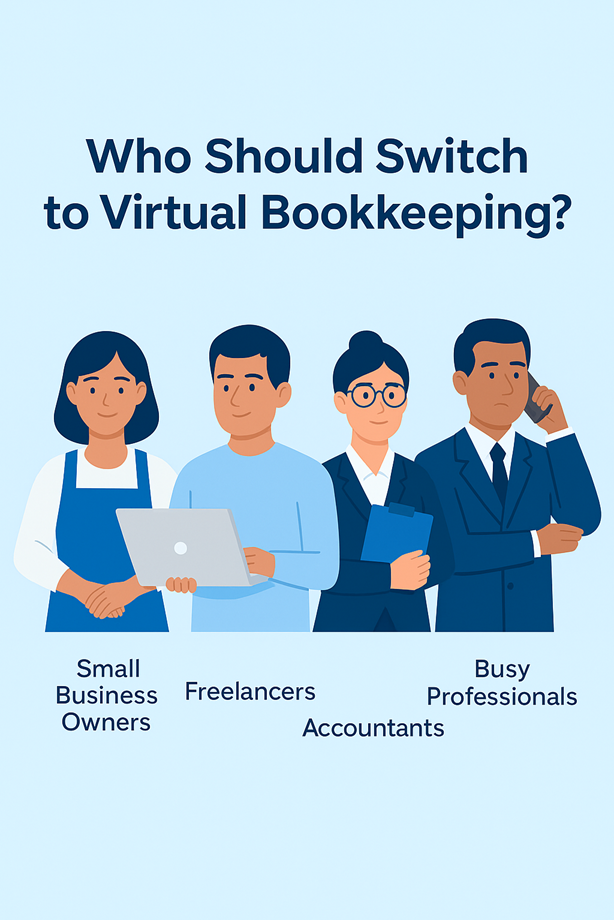
Virtual bookkeeping isn’t just for large companies — it’s designed for small and mid-sized businesses that want accurate books without hiring full-time staff. Any business that handles regular financial activity, accepts digital payments, or needs monthly reporting can benefit from switching to a virtual bookkeeping system.
Here are the types of businesses that gain the most value from virtual bookkeeping:
Startups & Solo Entrepreneurs
New businesses often don’t need a full-time bookkeeper, but they still require clean financial records to stay compliant, track spending, and prepare for tax season. Virtual bookkeeping gives startups access to professional support at a fraction of the cost of hiring in-house staff.
Service-Based Businesses
Consultants, agencies, contractors, real estate professionals, and other service providers benefit from virtual bookkeeping because it keeps their financial records organized without adding administrative burden. With consistent reporting, they can monitor revenue, expenses, and cash flow more easily.
E-Commerce Businesses & Online Sellers
Online stores typically process dozens (or hundreds) of transactions each month through platforms like Shopify, Amazon, Stripe, and PayPal. Virtual bookkeeping helps automate transaction imports, sales tracking, fee management, and inventory-related entries — giving e-commerce businesses accurate, up-to-date books.
Remote and Hybrid Teams
Businesses that operate remotely or have distributed teams often prefer cloud-based systems. Virtual bookkeeping ensures that everyone — business owners, managers, and accountants — can access financial information securely from anywhere.
Businesses Experiencing Growth
Companies that are growing quickly need scalable bookkeeping support that can expand with their financial activity. Virtual bookkeeping lets them increase or decrease their level of support without hiring or training new staff.
How to Find the Right Virtual Bookkeeping Service
Choosing the right virtual bookkeeping partner has a long-term impact on your business. Not every bookkeeper offers the same level of accuracy, software expertise, communication, or compliance awareness. This section helps small business owners understand what to evaluate so they can select a reliable, qualified, and trustworthy virtual bookkeeping service.
Checklist for Evaluating a Virtual Bookkeeper
Before choosing a virtual bookkeeping service, review these essentials:
1. Accounting & Bookkeeping Experience
Ensure they have experience with businesses similar to yours (service-based, e-commerce, contractors, etc.).
2. Software Expertise
Ask which cloud accounting platforms they use (QuickBooks Online, Xero) and whether they are certified.
3. Monthly Workflow & Deliverables
Clarify how often your books will be updated, reconciled, and what reports you’ll receive each month.
4. Communication Style & Availability
Understand how you will communicate — email, portal, scheduled check-ins — and response time expectations.
5. Security Practices
Make sure they use secure portals, encrypted systems, and permission-based access for financial documents.
6. Pricing Transparency
Good bookkeeping providers offer clear, predictable pricing without hidden fees or surprise charges.
This checklist helps ensure you partner with someone reliable, organized, and qualified.
Questions to Ask Before You Hire
Asking the right questions helps you understand whether the virtual bookkeeper is a good fit for your business:
- “What is included in your monthly bookkeeping plan?”
- “How do you handle reconciliations and financial reviews?”
- “Do you offer catch-up or cleanup services if my books are behind?”
- “What reports will I receive each month?”
- “How do you ensure data security?”
- “What happens if I need additional support or add-on services?”
- “Do you work with my CPA or tax professional during year-end?”
These questions reveal the provider’s professionalism, workflow, and reliability.
Red Flags & Mistakes to Avoid
Avoid virtual bookkeeping providers who show these warning signs:
1. No Clear Process
If they cannot explain their monthly workflow, how they reconcile accounts, or what reports they deliver — walk away.
2. Poor Communication
Slow responses or unclear communication are major red flags, especially when dealing with financial data.
3. No Experience With Your Software
Bookkeepers who are not comfortable with QuickBooks Online or Xero may struggle to maintain accurate records.
4. No Secure Portal or Document System
Sharing sensitive documents through email without encryption is unsafe and unprofessional.
5. Unrealistic Low Pricing
Extremely low rates often indicate limited experience, poor accuracy, or lack of proper systems.
Avoiding these mistakes protects your business and ensures you select a qualified, trustworthy bookkeeping partner.
Risks & Limitations of Virtual Bookkeeping
While virtual bookkeeping offers flexibility, automation, and cost savings, it’s not the perfect fit for every business scenario. Understanding its limitations helps you decide whether a remote bookkeeping model meets your financial needs and operational workflow.
Here are the common risks and limitations to consider:
When a Virtual Bookkeeper May Not Be Suitable
Virtual bookkeeping may not be the best fit if:
1. Your Business Requires Daily In-Person Support
Retail stores or operations-heavy businesses that rely on physical paperwork processing may need someone on-site daily.
2. You Use Complex, Industry-Specific Software
If your business uses a proprietary or highly specialized accounting system, a cloud-based approach may not integrate easily.
3. Your Operations Are Paper-Heavy
Industries that still require manual paperwork or physical processing may struggle to adapt to a fully digital workflow.
4. You Need On-Site Financial Oversight
Some companies prefer in-person oversight for handling cash, deposits, or internal controls.
A virtual bookkeeper works well for most modern businesses, but these scenarios may require hybrid or in-person support.
Common Misconceptions About Virtual Bookkeeping
Many businesses hesitate to switch to virtual bookkeeping due to misunderstandings. Here are the most common misconceptions:
1. “Remote Means Less Accurate”
In reality, automation + expert review usually produces MORE accurate books than manual, in-house processes.
2. “Virtual Bookkeepers Don’t Understand My Business”
Professional bookkeepers often specialize in industries — including e-commerce, service businesses, and contractors.
3. “I’ll Lose Control of My Financial Data”
Cloud systems provide dashboards, real-time reports, and secure access — giving you more visibility, not less.
4. “It’s Difficult to Switch from My Current System”
Most virtual bookkeepers handle migration, cleanup, and setup — making the transition smooth and organized.
These clarifications help business owners make confident decisions based on facts, not misconceptions.
Streamline Your Virtual Bookkeeping With the Right Tools
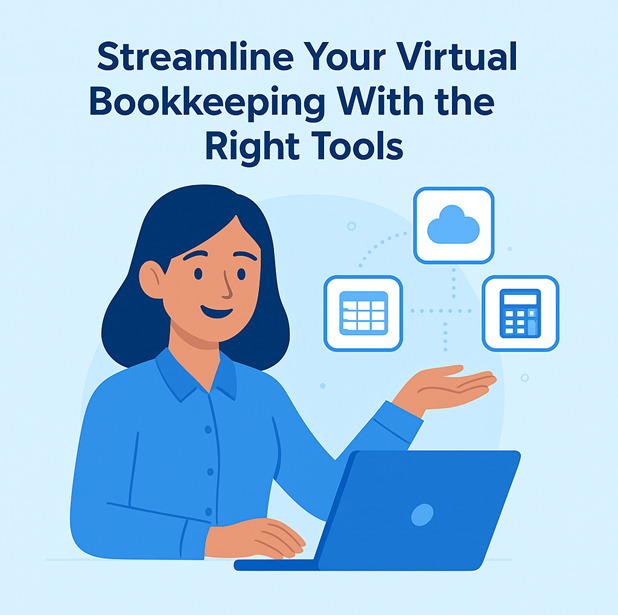
Cloud-based bookkeeping becomes even more efficient when the right tools, automations, and workflows are set up from the beginning. Whether you’re managing daily transactions or preparing monthly financial statements, using the right systems helps reduce manual work, prevent errors, and keep your books consistently organized.
Here are simple ways businesses can streamline their virtual bookkeeping process:
Use Automation Rules for Recurring Transactions
Most accounting platforms allow rules for commonly repeated transactions — like subscription payments, vendor charges, or recurring income. Setting these rules helps categorize transactions automatically and speeds up monthly review.
Connect All Payment Platforms and Bank Accounts
Whether you use Stripe, PayPal, Square, Shopify, or multiple bank accounts, connecting them directly to your accounting system eliminates manual entry and ensures every transaction appears in real time.
Maintain a Clean Chart of Accounts
A simplified and structured chart of accounts makes categorization easier, improves reporting accuracy, and prevents unnecessary confusion in your financial statements.
Digitize and Centralize Your Documents
Use tools like Dext or Hubdoc to upload receipts, invoices, and statements in one place. Having documents digitally stored reduces errors and keeps everything audit-ready.
Schedule Monthly Reviews and Reconciliations
Even with automation, a virtual bookkeeper should review your accounts monthly. Regular reconciliations help catch duplicate charges, missing transactions, and category errors early.
Integrate Your Bookkeeping With AP/AR Systems
If your business has frequent vendor bills or client invoices, integrating your bookkeeping system with AP/AR tools like Bill.com speeds up workflows and improves cash flow visibility.
Frequently Asked Questions

What is the work of a virtual bookkeeper?
A virtual bookkeeper manages your financial records remotely using cloud accounting tools. Their work includes categorizing transactions, reconciling bank accounts, organizing receipts, maintaining financial statements, and ensuring your books stay accurate throughout the year.
Is virtual bookkeeping worth it?
Yes. Virtual bookkeeping is worth it for small businesses because it reduces costs, improves accuracy, provides real-time financial visibility, and eliminates the need for in-house staff. It’s more affordable and efficient than traditional bookkeeping for most modern businesses.
How much does a virtual bookkeeper cost?
Virtual bookkeeping typically costs $200 to $900 per month for small businesses, depending on activity level, number of accounts, software complexity, and reporting needs. High-volume or multi-channel businesses may pay more.
How do I get started in virtual bookkeeping?
To get started, choose a cloud accounting system (QuickBooks Online or Xero), connect your bank accounts, digitize your documents, and hire a virtual bookkeeper who can manage your monthly bookkeeping. Most providers help with setup and cleanup during onboarding.
What is a virtual bookkeeper in accounting?
A virtual bookkeeper is a trained accounting professional who performs bookkeeping tasks remotely using cloud-based tools. They handle financial recording, reconciliations, and reporting — similar to an in-office bookkeeper, but entirely online.
What is a virtual bookkeeper job description?
A virtual bookkeeper reviews transactions, categorizes income and expenses, reconciles accounts, manages receipts, prepares monthly financial reports, maintains clean books, and supports year-end processes for CPAs and tax professionals.
What is a virtual bookkeeper salary?
Virtual bookkeepers in the U.S. typically earn $45,000 to $70,000 per year, depending on experience, certifications, software skills, and industry specialization. Freelance or contract bookkeepers may charge hourly or monthly rates instead.
How does virtual bookkeeping work?
Virtual bookkeeping works by connecting your financial accounts to cloud accounting software. Transactions flow in automatically, your bookkeeper reviews and categorizes them, reconciles accounts monthly, and prepares financial reports for your business.
What training is needed for virtual bookkeeping?
Virtual bookkeepers should understand accounting principles, double-entry bookkeeping, bank reconciliation, and financial reporting. Many complete certifications such as QuickBooks ProAdvisor or Xero Advisor training.
What skills do you need to become a virtual bookkeeper?
You need strong accounting fundamentals, attention to detail, experience with cloud accounting tools, understanding of reconciliations, data accuracy, time management, and the ability to communicate clearly with clients.
Is virtual bookkeeping safe?
Yes. Virtual bookkeeping is secure because cloud accounting platforms use encryption, multi-factor authentication, and secure portals for data sharing. Your financial data is protected by bank-level security standards.
What are virtual bookkeeping services pricing options?
Most providers offer monthly packages based on transaction volume, number of accounts, reporting needs, and optional add-on services like payroll, AP/AR management, or catch-up bookkeeping.
Conclusion
Virtual bookkeeping has become one of the most efficient and cost-effective ways for small businesses to maintain accurate financial records. With the support of cloud-based tools, automation, and remote bookkeeping professionals, businesses gain real-time visibility into their finances, reliable monthly reporting, and a workflow that eliminates paperwork and manual data entry.
Whether you run a startup, a service-based business, or an online store, virtual bookkeeping helps you stay organized, make informed decisions, and stay prepared for tax season without the cost of hiring in-house staff. As your business grows, virtual bookkeeping easily scales with you — giving you long-term financial clarity and consistent support.
Cloud-based bookkeeping can help you stay organized, reduce administrative workload, and make confident financial decisions. If you’d like guidance tailored to your small business, our team is here to help.